ATS Guide

Is Your Resume Getting Filtered Out?

Many resumes don't reach human reviewers because of Applicant Tracking Systems. Learn how ATS works and how to improve your chances.

Resume passing through ATS filter Build ATS-Friendly Resume
🤖

How ATS Works

ATS scans for keywords, parses your formatting, and scores your match to the job. Understanding this process helps you optimize your resume.

🔑

Right Keywords, Right Places

ATS looks for exact matches to job posting terms. "Project Management" ≠ "PM" to a bot. Our AI ensures your resume speaks the machine's language.

📄

Clean, Parseable Design

Fancy graphics, tables, and creative layouts confuse ATS. Our templates are designed to be both ATS-friendly AND visually appealing to humans.

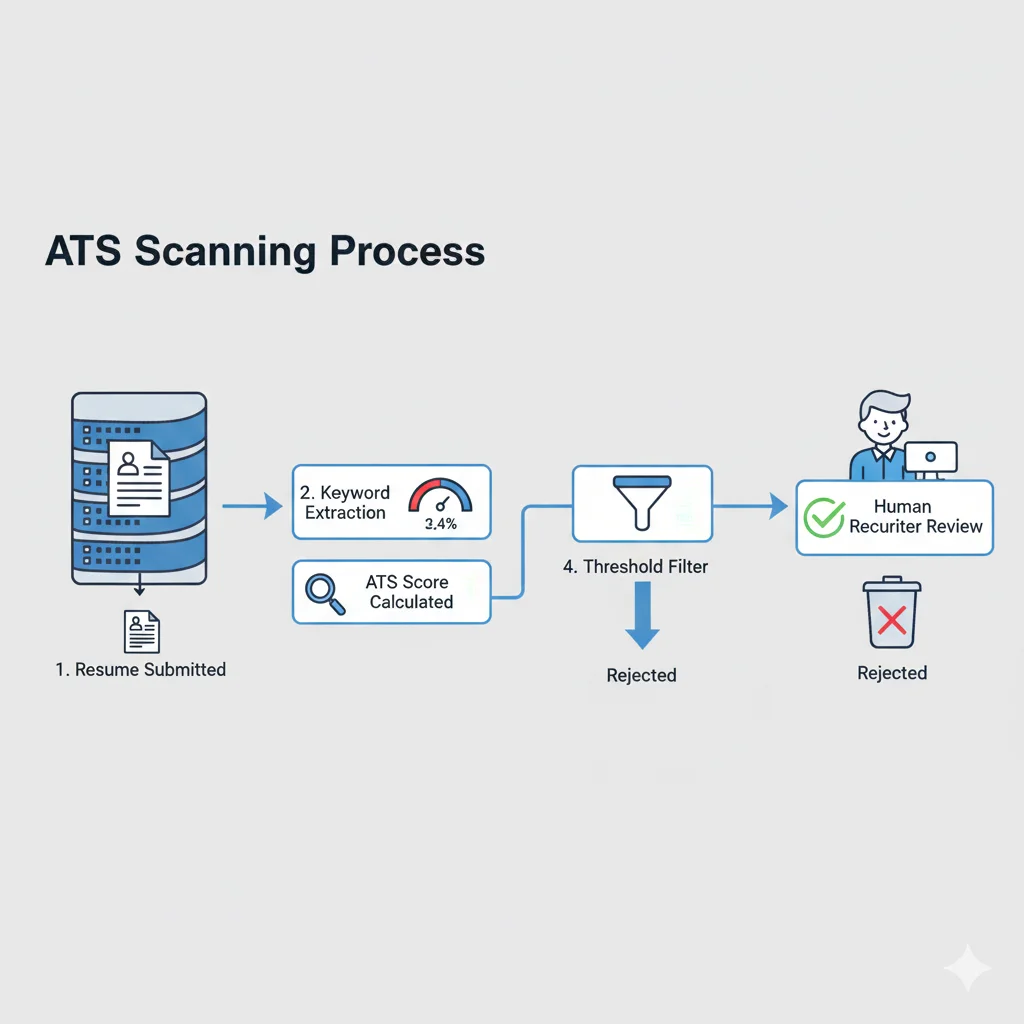
ATS scanning process infographic

Why You're Not Getting Interviews

You apply to 50 jobs. You get 2 responses. Sound familiar?

It's not your experience. It's the ATS.

Here's what happens when you click "Apply":

1. ATS receives your resume — not a human
2. Parser extracts text — tables, columns, graphics often break
3. Keyword matching — compares your resume to job posting
4. Score calculated — typically need 70-80% match to pass
5. Threshold filter — below threshold = automatic rejection

The reality: A qualified candidate with poorly formatted resume may get filtered out, while someone with better formatting gets through.

Our templates are designed with ATS compatibility in mind.
ATS Optimization Checklist

  • Use standard section headers — "Work Experience" not "Where I've Made Impact"
  • No tables or columns — ATS reads left-to-right, top-to-bottom; columns scramble your content
  • Standard fonts — Arial, Calibri, Times New Roman; creative fonts may not parse
  • Include exact keywords — If job says "Python," write "Python," not "programming languages"
  • Spell out acronyms — Write "Search Engine Optimization (SEO)" not just "SEO"
  • Save as .docx or PDF — Some ATS struggle with certain PDF types; .docx is safest
  • No headers/footers — Contact info in headers often gets ignored by ATS
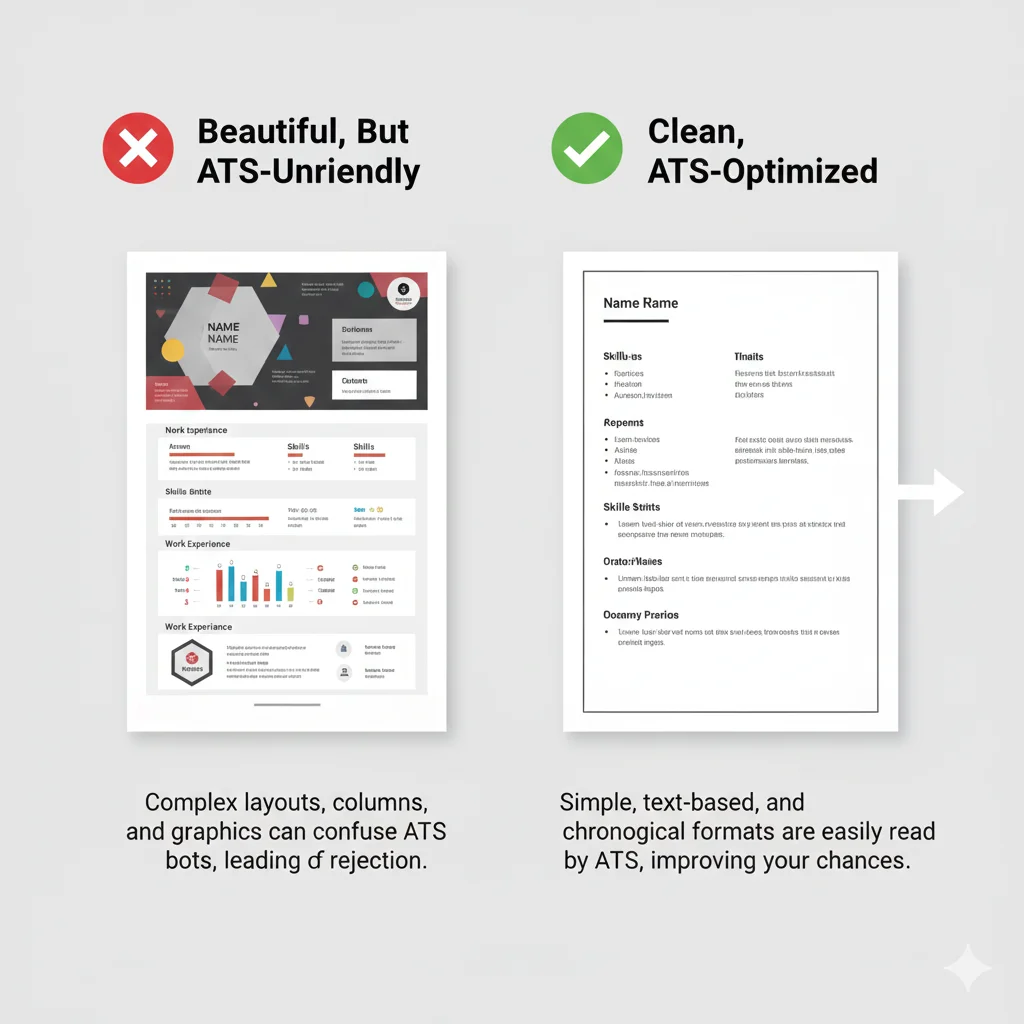
Creative vs ATS-friendly resume comparison

Pretty vs. Effective: Choose Wisely

That beautiful resume template from Canva? It might be killing your applications.

Creative resumes fail ATS because:
• Sidebars and columns scramble content order
• Icons and graphics are ignored or cause parsing errors
• Custom fonts may not be recognized
• Infographic-style skill bars mean nothing to a bot

The solution isn't ugly resumes. It's thoughtful design.

Our templates aim to be:
• ATS-compatible (clean parsing)
• Visually professional (readable by humans too)
• Keyword-aware (AI can help match job posting language)

The goal: get through the filter and present well to the human reviewer.

Build an ATS-Friendly Resume

Free credits to start. Create a resume designed for ATS compatibility.

Build ATS-Friendly Resume Get started →